
Class scheduling software and member app features
Coach features
The phone app also shows the booking roster and messages.

-
Today's attendance, bookings and members close to expiry show on the first screen.
- Bookings per class
- Booking and attendance per member
- Members close to expiry
-
See the week's classes and bookings on one screen. Click an empty slot to add a class.
- Colors by class type
- Bookings and capacity in each slot
- Repeats weekly on the days and times you set
-
Click a class to open the roster and mark attendance or no-show with one button.
- Bookings, capacity and waitlist on one line
- Waitlist fills in order when the class is full
- No-shows count only when a coach marks them
-
Load a HYROX race format from the library and the class content and 9 movements fill in.
- 188 Girls, Hero, Open, Games and HYROX workouts included
- Parts A, B, C with For Time, AMRAP, EMOM
- Shown as written on member phones
-
See memberships, classes left and expiry dates in one table, with members close to expiry on top.
- Filters for expiring soon and needs care
- Classes left on class packs
- Bulk import members by CSV
Operations
- Memberships
- Class packs and period memberships: issue, pause, expiry
- Attendance
- Attendance and no-show check
- Lockers
- Assignment
- Contracts
- Issue and sign
- Stats
- Attendance and revenue by period
- Movement library
- HYROX movements included, add your own
Booking rules
- Booking opens
- Day before, or a whole week at once
- Cancel deadline
- 20 minutes before start (default)
- Late cancel and no-show
- First of each is not counted
- No-show handling
- Coach marks manually
Multiple coaches
- Coaches
- Unlimited
- Permissions
- All the same
- Workout library
- Shared by coaches
- Removing a coach
- Head coach only
Member app features
| Feature | Description | Details |
|---|---|---|
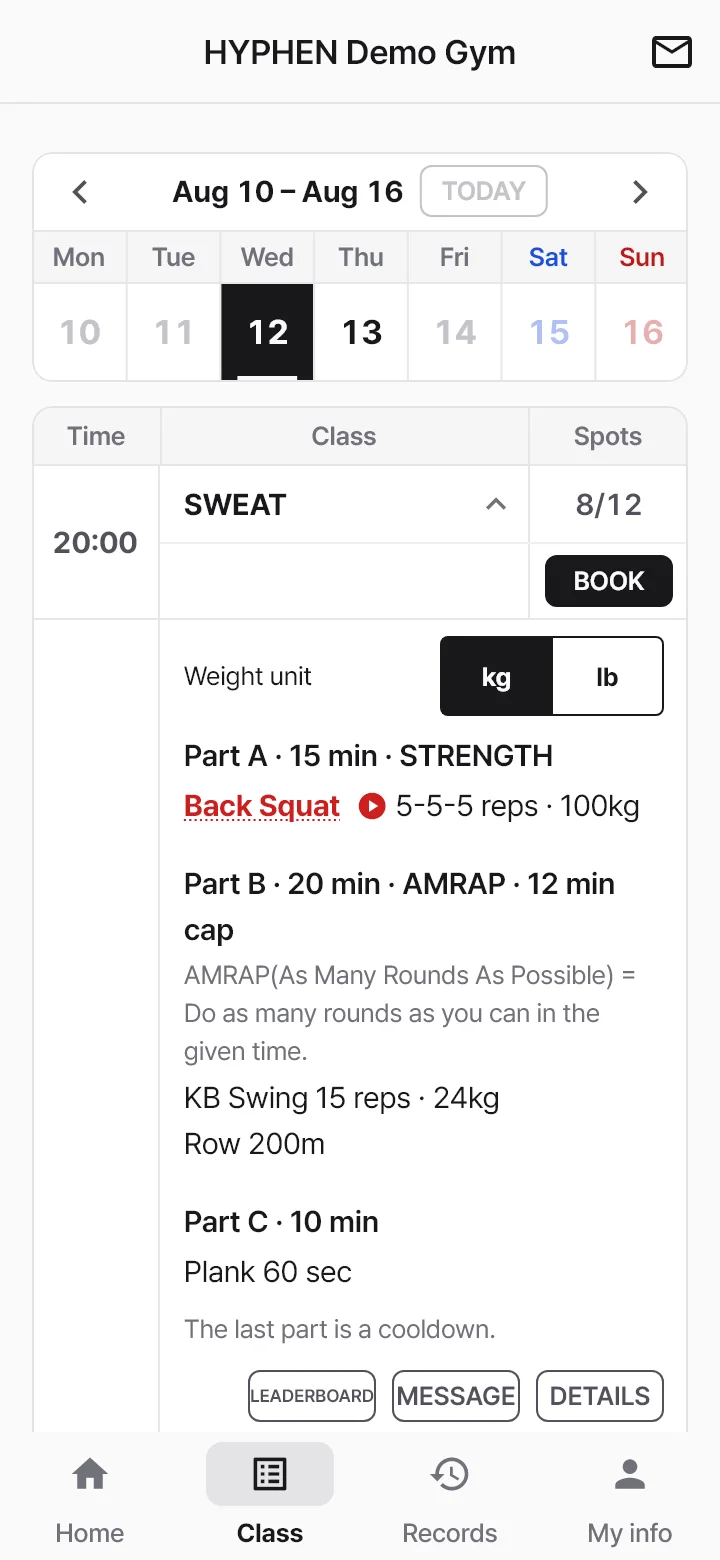
| Members see today's workout and book. When a class is full, the waitlist fills in order. | Parts A, B, C and AMRAP, EMOM, For Time shownWaitlist when full, with an alert when a spot opensBooking opening time set by the gymLate cancel and no-show rules set by the gym | |
| Tell all members about closures and schedule changes at once. | Announcement strip at the top of HomePhone notificationsAnnouncements that don't get lost in group chats | |
| Members message the coach with questions before class. | Ask from the class screenCoach tab: conversationsActivity tab: automatic booking, payment and achievement alerts | |
| Logging a record marks PRs and unlocks achievements. | Time, rounds and weight records with PRsDefault achievements such as 3-week streak and Open survivorGyms add their own achievements and points | |
| Attending and taking on challenges builds points and levels. | Earned from attendance, class records and achievementsXP sources shownCoaches set the points |
Gym TV
The workout a coach posts shows on the gym TV as written.

- [Show on TV]
- Open from class details and show full screen on a TV connected to the coach PC
- Five screen styles
- Each gym keeps the style it picks
- Parts layout
- Panels by number of parts, with pages when it overflows
- Current time
- Large, in the class color · content refreshes every 2 minutes
- Screen A
 Screen B
 Screen C
 Screen D
 Screen E
Achievements and levels
Attending and logging builds XP and unlocks achievements. Coaches set the points and achievements.
-
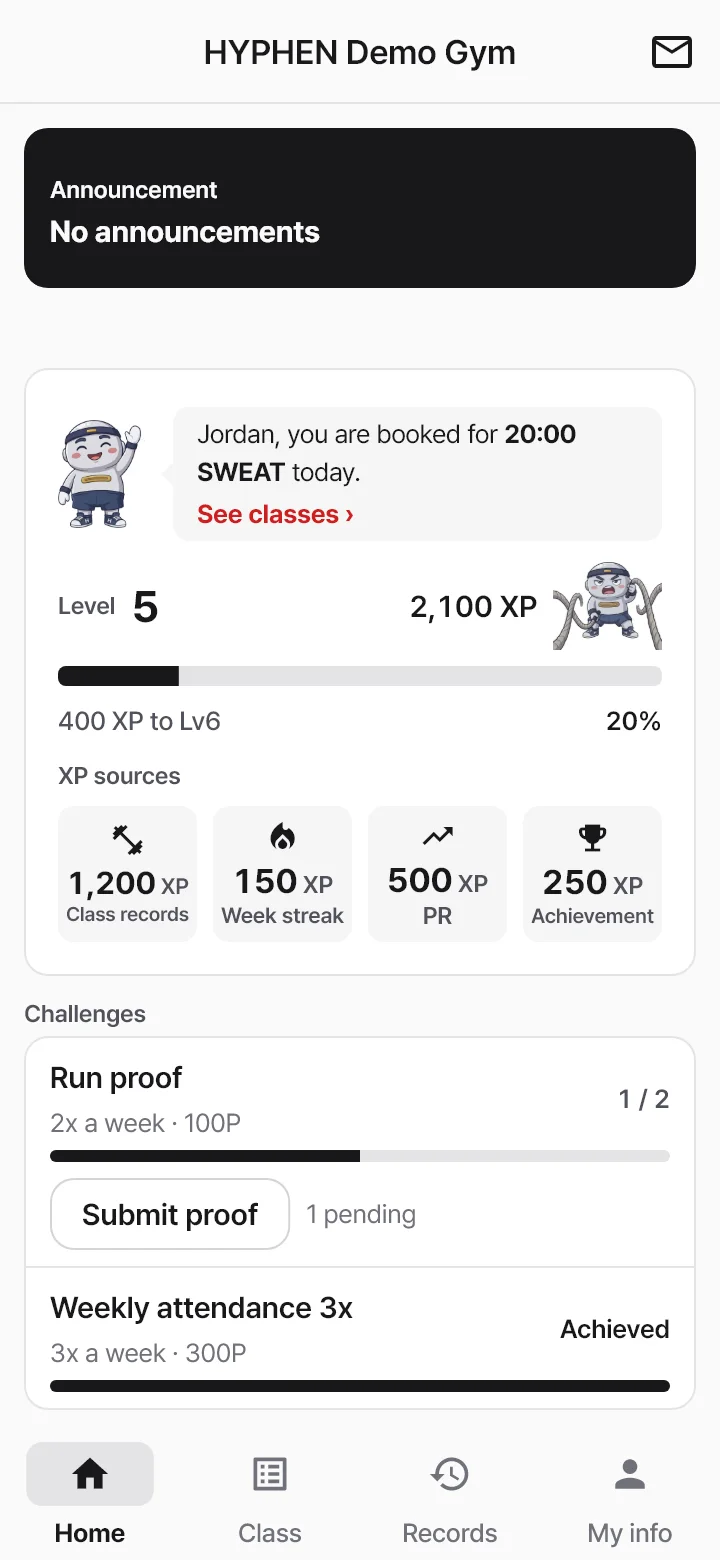
Level
XP sources
XP is shown by class records, PRs, weekly streaks and achievements.
-
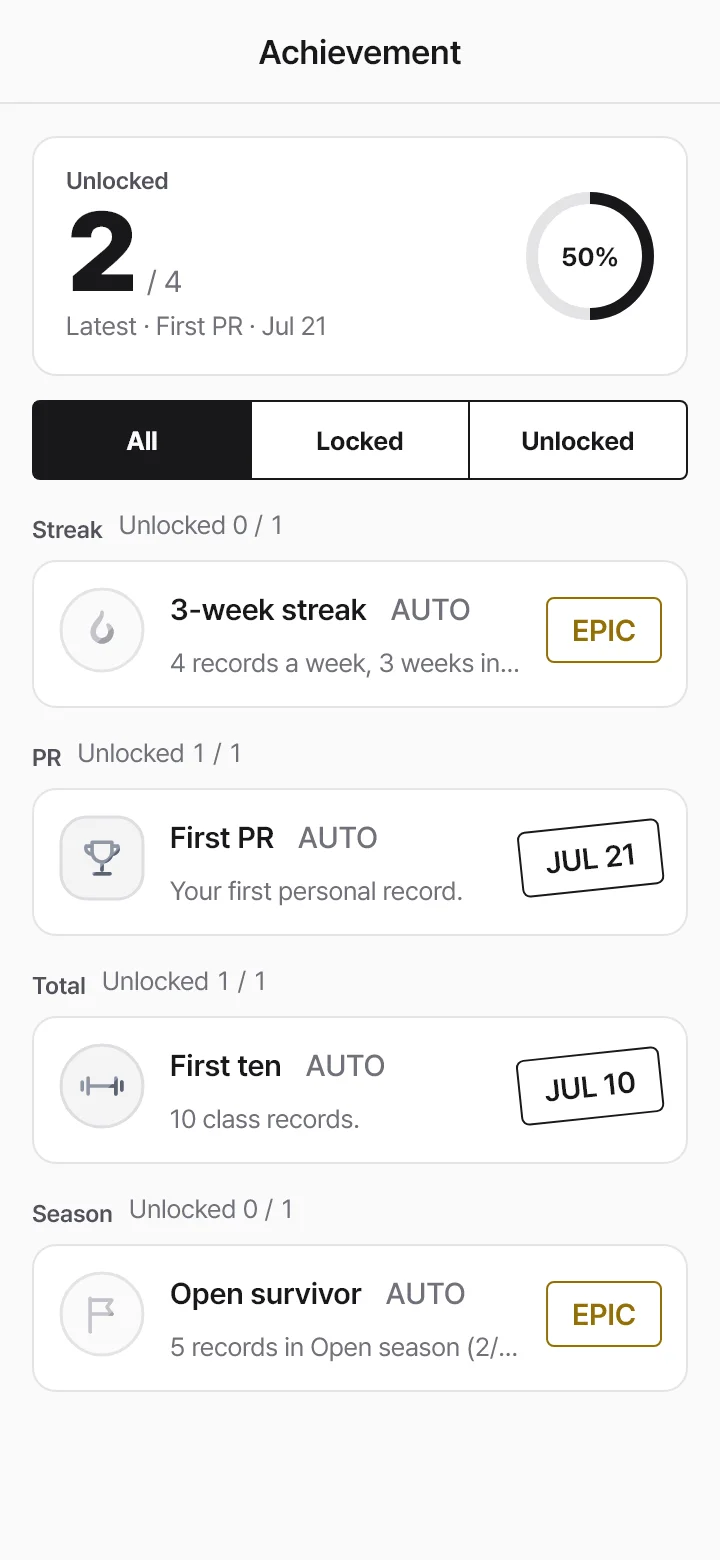
Achievements
Automatic achievements
Unlock by records, such as first PR, 3-week streak and Open survivor.
-
After class
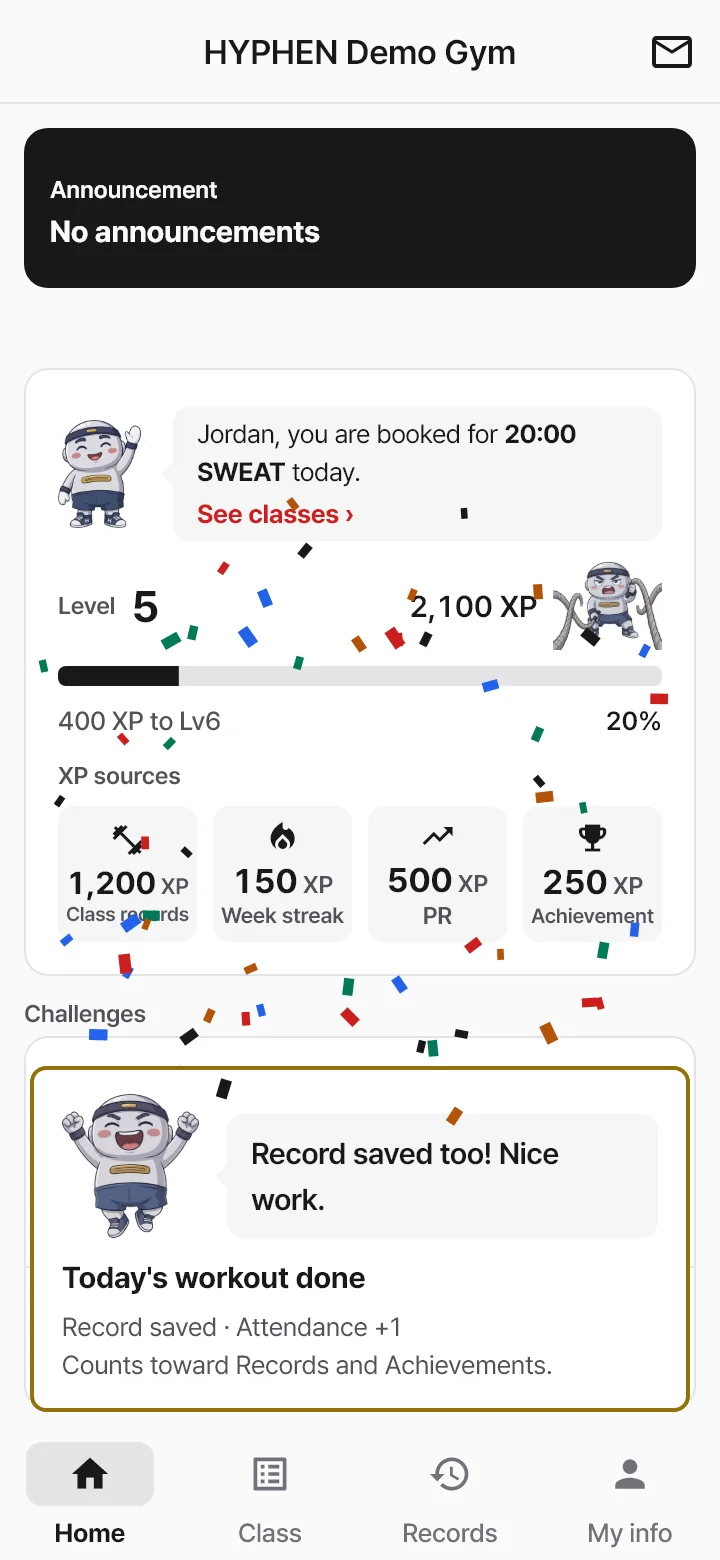
Record saved
When a record is saved, Hypee celebrates and it counts toward attendance and achievements.
Member app
Member app features


Members see today's workout and book. When a class is full, the waitlist fills in order.
Tell all members about closures and schedule changes at once.
Members message the coach with questions before class.
Logging a record marks PRs and unlocks achievements.
Attending and taking on challenges builds points and levels.
Coach PC
Coach features
The phone app also shows the booking roster and messages.


Today's attendance, bookings and members close to expiry show on the first screen.
See the week's classes and bookings on one screen. Click an empty slot to add a class.
Click a class to open the roster and mark attendance or no-show with one button.
Load a HYROX race format from the library and the class content and 9 movements fill in.
See memberships, classes left and expiry dates in one table, with members close to expiry on top.
Gym TV
Gym TV
The workout a coach posts shows on the gym TV as written.
- [Show on TV]
- Open from class details and show full screen on a TV connected to the coach PC
- Five screen styles
- Each gym keeps the style it picks
- Parts layout
- Panels by number of parts, with pages when it overflows
- Current time
- Large, in the class color · content refreshes every 2 minutes
Member app
Achievements and levels
Attending and logging builds XP and unlocks achievements. Coaches set the points and achievements.
XP is shown by class records, PRs, weekly streaks and achievements.
Unlock by records, such as first PR, 3-week streak and Open survivor.
When a record is saved, Hypee celebrates and it counts toward attendance and achievements.
For WOD and group class gymsWOD gyms · Hybrid gyms · Functional training gyms · HYROX clubs · Weightlifting and kettlebell clubs · Small group training and bootcamps
₩79,000 a month, any number of members and coaches
First month free